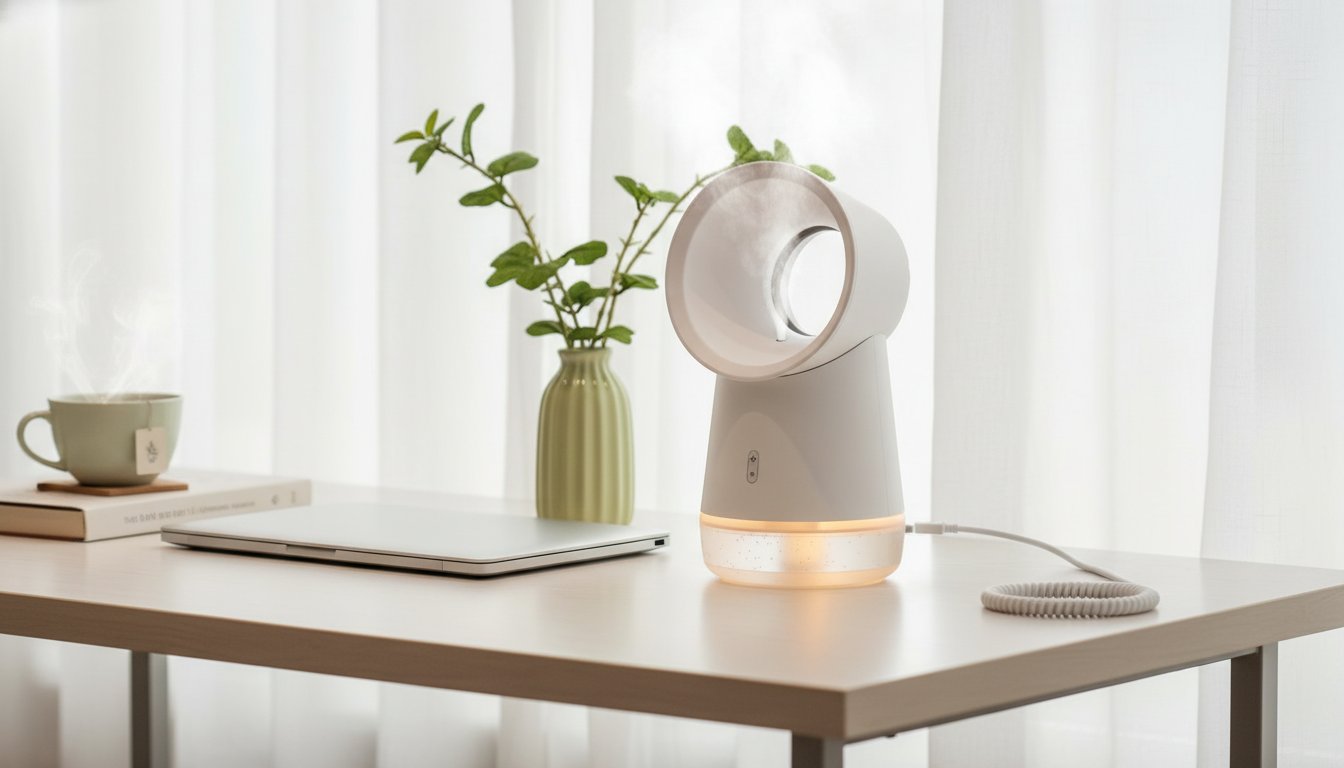
A compact 3-in-1 comfort device designed for desks, bedrooms, and small spaces: smooth airflow from a bladeless fan, added moisture to help with dry air, and a soft LED glow for nighttime use—all powered by convenient USB. If you want personal comfort without adding clutter, the Bladeless USB Humidifier Fan with LED Night Light fits neatly into everyday routines at a workstation, bedside table, dorm, or travel setup.
This style of desktop unit blends three functions into one compact footprint, which is especially helpful where outlet space and surface space are limited.
For a broader overview of indoor air considerations, the U.S. Environmental Protection Agency’s guidance on Indoor Air Quality is a helpful reference point.
Small devices work best when they’re easy to place, easy to power, and simple to operate day after day.
Because it’s USB-powered, it’s easy to build a consistent “comfort corner” at a desk: plug it into a stable power source, set it slightly off to the side, and angle the airflow to sweep across your upper body rather than blasting directly at your face.
Dry air can feel irritating in winter heating months, in air-conditioned spaces, or in climates with low ambient humidity. A small mist humidifier is designed to add localized moisture right where you spend time.
Practical tip: treat it like a “personal humidity zone.” You’ll typically get better results by placing it 1–3 feet away and letting the mist disperse, rather than aiming mist directly at bedding, books, or a keyboard. For additional humidifier safety guidance, pediatric-focused recommendations from the American Academy of Pediatrics can be useful, especially in family spaces: Humidifiers and Vaporizers.
When the goal is comfortable airflow during work, study, or sleep, a compact desktop fan can make a noticeable difference—without the size and visual bulk of larger fans.
Placement is the easy “upgrade”: on a desk, position it near the front corner so air can cross your arms and torso; on a nightstand, point it across the bed instead of straight at your face to avoid waking up feeling overcooled or dry.
| Option | Best For | Trade-Offs |
|---|---|---|
| 3-in-1 bladeless USB humidifier fan + night light | Desk/bedside personal comfort, dorms, travel | Typically smaller mist coverage and airflow than full-size devices |
| Standalone desktop fan | Stronger airflow for a small room | No added moisture or night light |
| Standalone humidifier | More consistent room humidification (depending on size) | No direct cooling airflow; may take more space |
| Night light only | Low-light nighttime visibility | No airflow or humidity support |
It can run continuously as long as the USB power source provides steady output and the water reservoir has enough capacity for the mist duration you want. For overnight use, a stable wall adapter is typically more reliable than a laptop port, and it helps to turn off mist if the air starts to feel overly humid.
It’s generally fine on a desk if you keep the mist aimed away from electronics and maintain a little distance so moisture doesn’t settle on screens, keyboards, or papers. When working very close to a computer, fan-only mode is a safer choice.
Rinse frequently and clean on a regular schedule to prevent odor and mineral buildup—especially with daily use. If you have hard water, you’ll likely need deeper cleaning more often to keep mist output steady.










Leave a comment