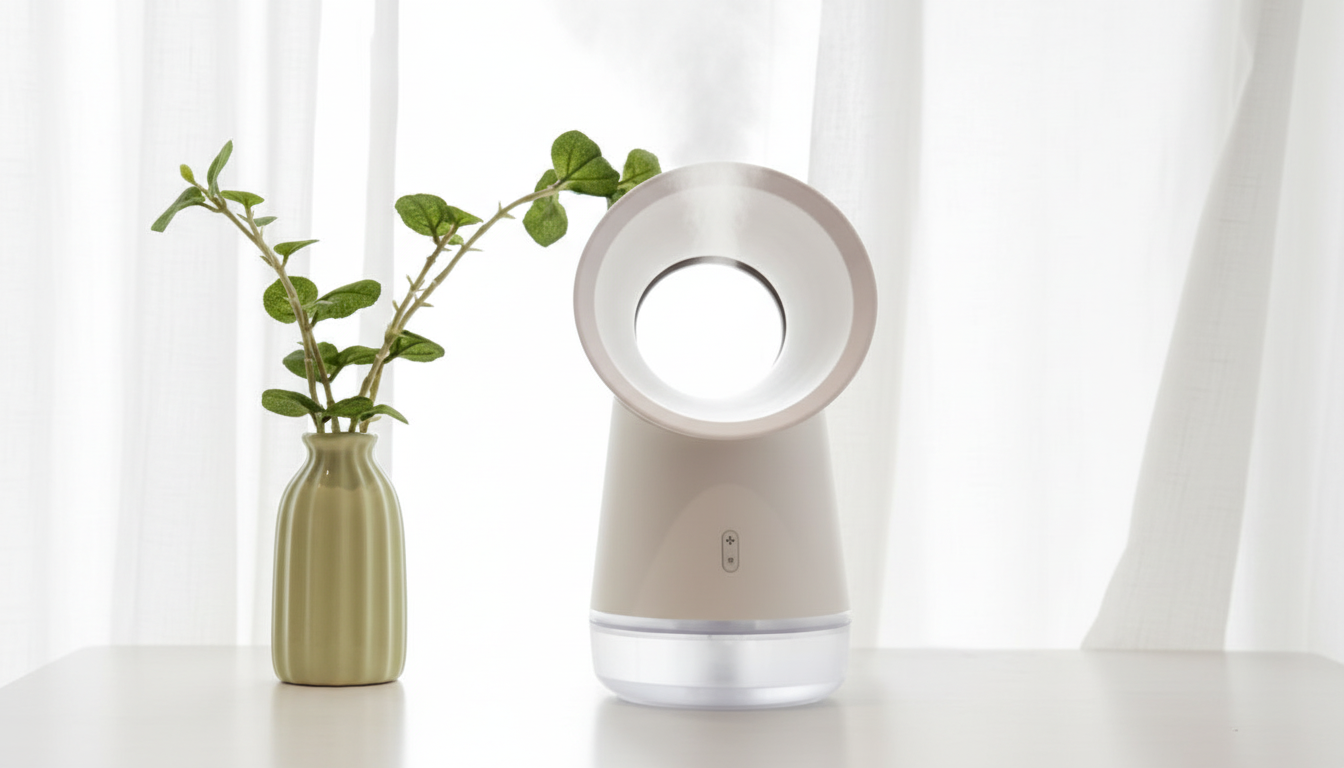
USB humidifier fans are becoming increasingly popular due to their compact size and multifunctional capabilities. One significant advantage is their portability; you can easily move them from one room to another or even take them on trips.
This flexibility allows users to enjoy a comfortable environment wherever they go. Additionally, these fans tend to consume less energy compared to traditional air conditioning units, making them a cost-effective alternative for maintaining a comfortable atmosphere.
One of the main benefits of using a USB humidifier fan is their ability to improve indoor air quality. As they add moisture to the air, they can help alleviate issues caused by dry air, such as skin irritation, dry throat, and increased susceptibility to respiratory problems.
This is particularly beneficial for individuals suffering from allergies or asthma, as the added humidity can ease breathing difficulties. Furthermore, these fans can help prevent static electricity buildup, which can be a nuisance, especially in dry winter months.
When selecting a USB humidifier fan, consider factors such as size, features, and noise level. Some models come with adjustable mist settings, LED lights, and timers, allowing you to customize your experience.
Look for fans that are easy to clean and maintain to ensure longevity and efficiency. Reading customer reviews and comparing specifications can also help you make an informed decision, ensuring that your investment meets your specific needs.
Like any appliance, USB humidifier fans can encounter problems. Common issues include insufficient mist output, strange noises, and leaks.
If you experience low mist output, check the water level and ensure the fan is set to the appropriate misting mode. For unusual noises, inspect the fan for any debris that may be causing the disturbance. Leaks can often be remedied by ensuring the tank is properly secured and that the fan is on a level surface.
Regular maintenance, such as cleaning and checking for wear, will go a long way in prolonging the life of your fan.
In conclusion, understanding the functionality and maintenance of USB humidifier fans is vital for maximizing their benefits. By following the correct usage guidelines and performing regular upkeep, you can enjoy a comfortable and healthy environment.
Remember to always refer to your specific model’s instructions for the best results, and you’ll find that a USB humidifier fan is not just a luxury but a necessity for many households. Its ability to enhance comfort, improve air quality, and provide convenience makes it a worthwhile investment.
It depends on the type of bladeless fan you have. A standard bladeless fan is only a fan, so you do not add water to it.
However, some bladeless units are combo devices—often labeled as a “bladeless humidifier fan,” “mist fan,” or “cooling fan with humidifier.” Those models do use water, but only in their built-in water tank or reservoir.
A traditional fan operates solely by circulating air, while the humidifier fan adds moisture into the air, which can be particularly beneficial in dry climates or during winter months when indoor heating can cause dryness. Understanding the specific model of your fan can greatly enhance your experience, as knowing whether to use water or not can prevent damage and ensure optimal performance.
Check the product name on the box, the control panel icons, or the manual. If you see terms like “humidifier,” “mist,” “spray,” or a droplet symbol, your unit likely has a water tank.
For example, many models have dedicated buttons for misting or humidifying, which would indicate the need for water. If the fan only has airflow and speed settings (and no mist/humidity options), it’s a dry fan and should never be filled with water.
It’s also advisable to consult online resources or customer reviews if you’re unsure about your model’s capabilities, as this can provide additional insights into the proper use of your fan.
On a bladeless humidifier fan, water goes into the removable tank or a clearly marked fill port—never into the air outlet ring, vents, or any electrical compartment.
Pouring water into the wrong area can damage internal components and create a safety hazard. For instance, if water spills into the electrical components, it could lead to short-circuiting or even pose a fire risk.
If your unit has a tank, fill only to the MAX line and keep the base dry when refilling. Regular maintenance of the tank is essential to prevent mold or bacteria growth, especially if the fan is used frequently.
Use clean water and empty the tank if you won’t be using the humidifier function for a day or two.
Regularly rinse and dry the reservoir to reduce odor and mineral buildup. If your local water is hard, using distilled water can help minimize residue on internal parts and nearby surfaces.
This is important, as hard water can lead to scaling inside the fan, which can affect its performance over time. Additionally, consider using the fan in a well-ventilated area to maximize moisture distribution and avoid over-humidifying a space, which can lead to mold growth.
If your device is a USB bladeless humidifier fan with extra features like an LED night light, this guide covers filling, operation, and care: https://gskbuy.com/guide-usb-bladeless-humidifier-fan-led-night-light-guide/.
Following these guidelines will ensure that you maximize the functionality of your USB humidifier fan, providing both comfort and utility. Detailed instructions often include cleaning tips, maintenance schedules, and troubleshooting advice, which can extend the lifespan of your fan.
Only if the manufacturer explicitly says it’s designed for oils. Many small humidifier-fan combos can be damaged by oils, which may degrade plastics and clog the mist system.
If you’re looking to enjoy the benefits of aromatherapy while using your fan, it’s crucial to check the specifications and guidelines provided by the manufacturer.
Some fans have specific compartments or pads for essential oils, while others may not be compatible at all. It’s also worth noting that using the wrong oils can lead to a buildup that affects performance and hygiene.
Only if the manufacturer explicitly says it’s designed for oils. Many small humidifier-fan combos can be damaged by oils, which may degrade plastics and clog the mist system. If you’re looking to enjoy the benefits of aromatherapy while using your fan, it’s crucial to check the specifications and guidelines provided by the manufacturer. Some fans have specific compartments or pads for essential oils, while others may not be compatible at all. It’s also worth noting that using the wrong oils can lead to a buildup that affects performance and hygiene.













Leave a comment