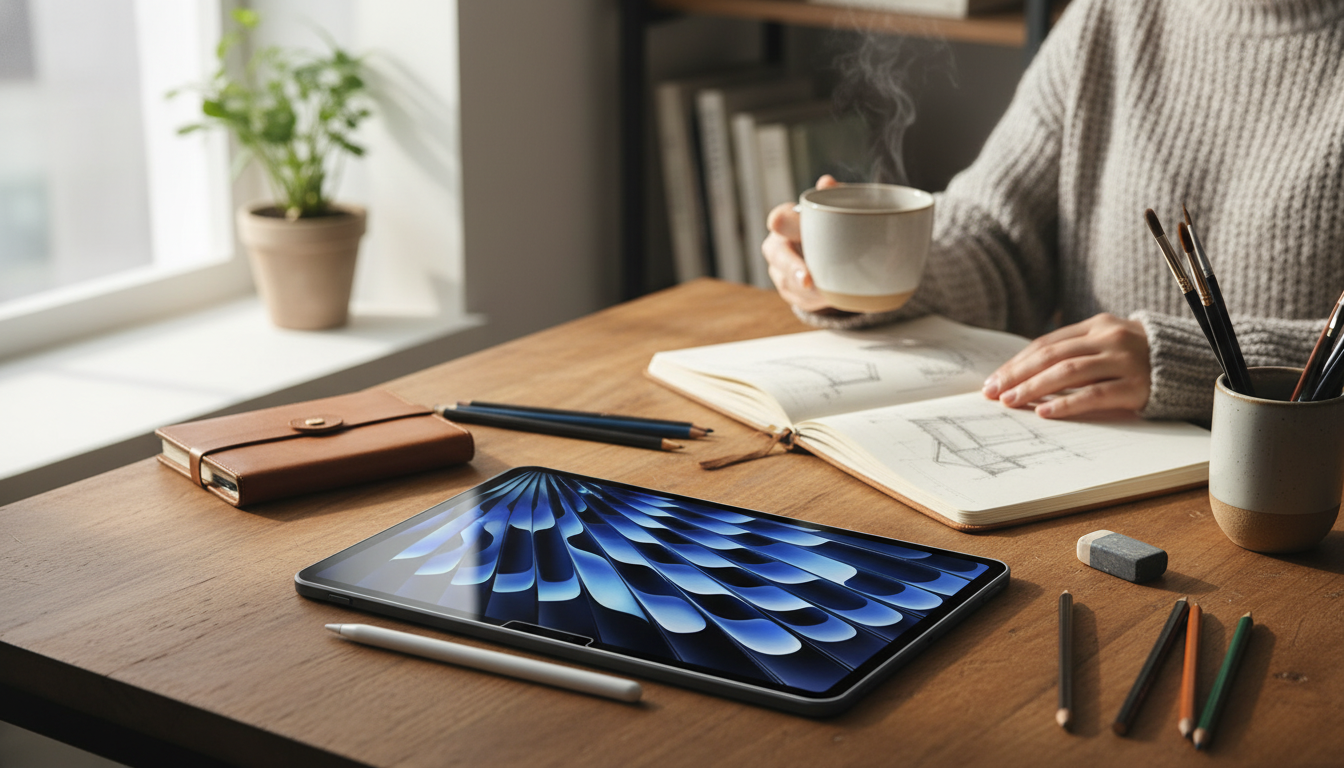
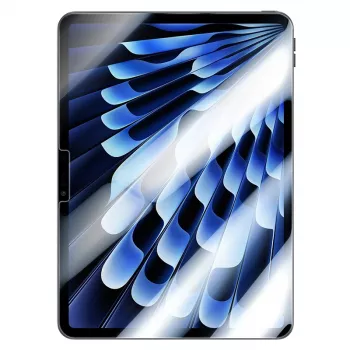
A matte glass screen protector can make an iPad noticeably easier to use under bright lights while adding a tough barrier against everyday wear. The biggest real-world changes show up in glare control, smudge visibility, and how the surface feels under a fingertip or Apple Pencil. Below is a practical breakdown of what a matte Corning glass protector does day to day, how it compares to other materials, and what to check for the cleanest fit and longest lifespan.
What a matte glass protector changes on an iPad
Switching from bare iPad glass to a matte tempered glass protector alters both how the display looks in challenging lighting and how it feels during touch and stylus use.
- Reduced reflections in bright spaces: Matte diffusion cuts harsh glare from overhead lighting and windows, which can improve readability in sunlit rooms or under office lights.
- More controlled surface feel: The subtle texture adds a bit of resistance, which many users prefer for writing, sketching, and slow, precise taps.
- Fingerprints are less obvious: Oils and smudges usually don’t “flash” as much as they do on glossy glass, so the screen can look cleaner between wipe-downs.
- A sacrificial scratch layer: The protector takes scuffs from daily handling, bag grit, and countertop contact instead of the iPad display.
- Slight tradeoff in perceived clarity: Matte finishes can soften perceived contrast or sharpness a little. For many, the better visibility in glare-heavy environments is worth it.
Matte glass vs. glossy glass vs. PET film at a glance
| Feature |
Matte tempered glass |
Glossy tempered glass |
Matte PET film |
| Glare reduction |
High |
Low |
Medium–High |
| Scratch resistance |
High |
High |
Low–Medium |
| Apple Pencil feel |
More paper-like drag |
Smoother glide |
Paper-like drag (varies) |
| Image clarity |
Slight diffusion |
Highest clarity |
Can show grain or haze |
| Smudge visibility |
Lower |
Higher |
Medium |
| Impact protection |
Better than film |
Better than film |
Minimal |
| Typical install difficulty |
Medium |
Medium |
Medium–High (creases/bubbles) |
Why Corning glass matters for daily durability
Not all “glass protectors” feel the same over time. Chemically strengthened glass is engineered to handle common forms of abrasion and daily handling better than standard glass. Corning’s Gorilla Glass family is a well-known example of this approach to strengthening and scratch resistance (see Corning’s overview here: Corning Gorilla Glass 3).
- Better resistance to everyday abrasions: Think keys, zippers, and tiny grit particles that end up in bags and sleeves.
- Reduced edge chipping risk: Stronger glass and better edge finishing can help when the iPad is set down on hard surfaces.
- Consistent touch tracking: A rigid, uniform glass layer helps maintain a stable surface for taps, swipes, and gestures.
- Cleaner feel around the bezel: Precise cutouts and smooth edges make swipes from the edges feel more seamless.
- Fit and finishing still matter: Thickness, tempering quality, and edge rounding influence real-life durability just as much as the brand name.
Matte texture and Apple Pencil performance
Matte protectors are popular with note-takers because the surface friction feels closer to paper than bare glass. That extra resistance can make handwriting steadier and line work feel more controlled.
- More friction for control: The slight drag can reduce “skating” during slow strokes and improve precision for lettering and sketching.
- Expect some nib wear: More texture can wear Apple Pencil tips faster over time, especially with heavy daily note-taking.
- Predictable strokes: Palm rejection and latency are mainly iPad features, but a consistent surface can make drawing feel more uniform across the screen.
- Better comfort under bright studio lights: Matte diffusion can reduce distracting reflections and make it easier to evaluate tones without mirror-like glare.
- Color-critical work check: If photo editing and exact sharpness are priorities, confirm the matte diffusion looks acceptable for the workflow.
Fit, compatibility, and what to confirm before buying
The most common “bad screen protector” complaints come from model mismatch or case interference rather than the glass itself.
- Match the exact iPad model: Small differences in bezels and camera placement can cause poor alignment or sensor obstruction.
- Confirm case compatibility: Some cases with raised lips can press into the edges and slowly lift a tight-fitting protector.
- Check camera and sensor cutouts: Accurate cutouts keep Face ID/front camera areas clear and maintain a factory-clean look.
- Be gentle with anti-reflective coatings: Protectors are compatible, but aggressive cleaning and edge picking can encourage lifting.
- Decide on the priority: Choose matte for glare control and writing feel; choose glossy glass for maximum sharpness and punchy contrast.
Installation steps for a bubble-free result
A clean install is mostly about dust control. Take a few extra minutes for prep and the finish will look far more “invisible.” For safe cleaning guidance, Apple’s recommendations are a reliable baseline: Apple Support: Cleaning Apple products.
Care, cleaning, and longevity
Choosing between ceramic and glass screen protectors
In-stock picks
FAQ
How safe is Corning Gorilla Glass 3?
Gorilla Glass 3 is chemically strengthened to improve scratch resistance and durability compared with standard glass, making it better suited for everyday abrasions. It isn’t unbreakable, and drops or edge impacts can still crack it depending on height, angle, and the surface it hits.
What’s better, a ceramic or glass screen protector?
Glass is usually preferred for a rigid, consistent feel and strong scratch resistance, while ceramic-style protectors tend to be more flexible and may reduce shatter concerns. The better option depends on whether glare control, Apple Pencil texture, and case compatibility matter more than flexibility.
Recommended for you










Leave a comment